Disclaimer: We do not claim ownership of this game and have embedded it purely for your enjoyment. All rights, content, and intellectual property belong to the original creator(s) or publisher(s). We truly appreciate the developers’ creativity and hard work—if you enjoy the game, please support them by visiting their official website or platform.
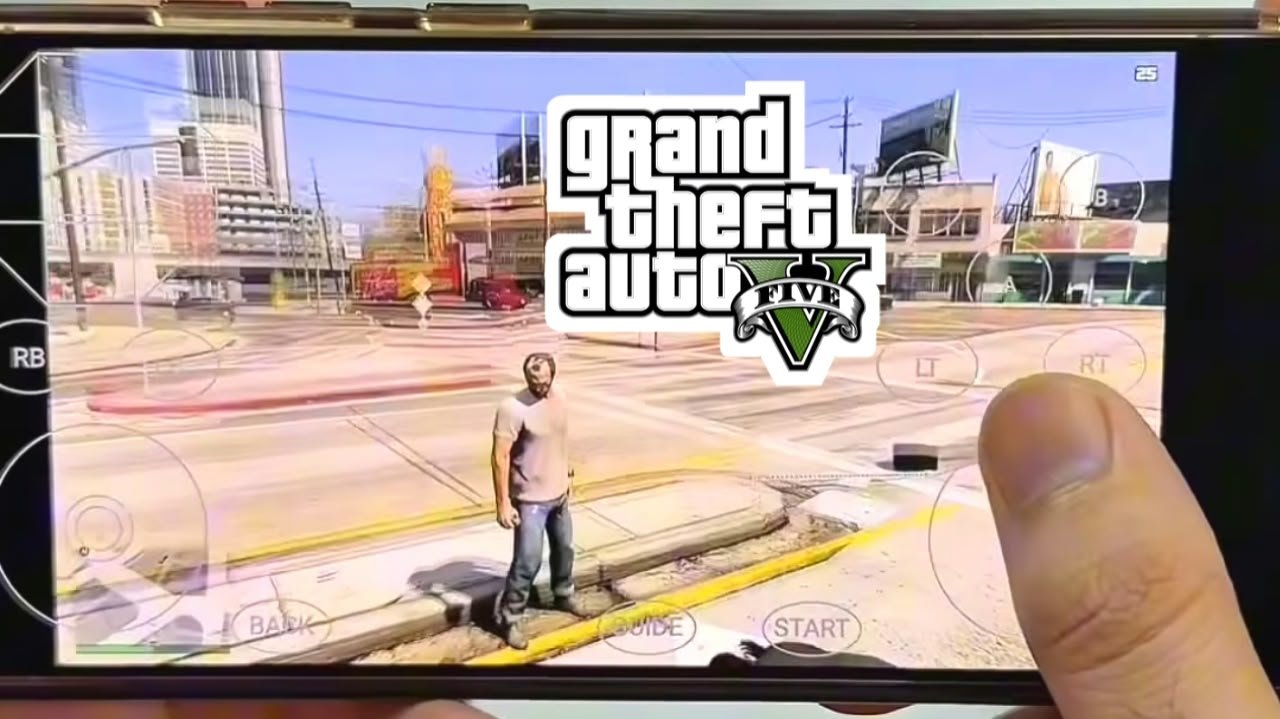
GTA V is one of the best-selling games of all time, and even with GTA 6 now out, millions of people still love driving around Los Santos. That’s why so many players search for ways to play a GTA V mobile game simulator on their phones. Who wouldn’t want to cruise the city, finish missions, and cause chaos on a bus ride or during a lunch break?
But there’s a lot of confusing and fake information online. In this guide, I’ll explain the truth about GTA V on mobile, the real ways to play it on your phone, the official GTA games you can install, and the best GTA-style simulator games for Android and iPhone.
Is GTA V Available as a Mobile Game?
Let’s clear this up first: Rockstar Games has never released GTA V for Android or iPhone. There’s no official GTA V app on the Google Play Store or the Apple App Store.
GTA V is available on PlayStation, Xbox and PC. Any website claiming to offer a “GTA 5 mobile download” is not official.
You can still play GTA V on your phone, though, and you can also play GTA-style simulator games that run directly on mobile. Here are your options.
Method 1: Play GTA V on Mobile With Remote Play (Console Owners)
If you own GTA V on a PlayStation or Xbox, you can stream it to your phone for free. The game runs on your console, and your phone shows the screen and acts as the controller.
For PS4 or PS5
- On PS5, go to Settings > System > Remote Play and turn on Enable Remote Play. On PS4, go to Settings > Remote Play Connection Settings and enable it.
- Download the free PS Remote Play app from the Play Store or App Store.
- Sign in with the same PlayStation account as your console.
- Pair a controller to your phone through Bluetooth.
- Select your console in the app, wait for it to connect, and launch GTA V.
For Xbox One or Xbox Series X|S
- On your Xbox, go to Settings > Devices & connections > Remote features and turn on Enable remote features.
- Install the Xbox app on your phone and sign in with the same Microsoft account.
- Open your library in the app, choose Remote play on this device, and start GTA V.
Tip: For smooth gameplay, use a fast connection. Sony recommends 15 Mbps or more for the best Remote Play experience. Connect your console to the router with a LAN cable if you can.
Method 2: Play GTA V on Mobile With Steam Link (PC Owners)
If you own GTA V on Steam, you can stream it from your own PC to your phone:
- Install the free Steam Link app on your Android phone or iPhone.
- Keep your PC turned on with Steam open.
- Open Steam Link on your phone. It will find your PC on the same Wi-Fi network.
- Pair your phone with your PC using the code shown on screen.
- Connect a controller, open GTA V, and play.
Your PC does all the hard work, so the game looks just as good on your phone as it does on your monitor.
What about cloud gaming?
Many people ask about playing GTA V through cloud gaming services. Right now, it’s limited:
- GTA V isn’t on GeForce Now, because Rockstar removed it from the service years ago.
- GTA V left Xbox Game Pass in April 2026, so you can’t stream it through Game Pass cloud gaming at the moment.
Catalogs change often, so check the apps for updates. For now, Remote Play and Steam Link are the most reliable ways to play the real GTA V on your phone.
Method 3: Official GTA Games You Can Install on Your Phone
If you don’t own a console or PC, Rockstar does sell real GTA games for mobile. They aren’t GTA V, but they’re official, full GTA experiences.
- GTA: The Trilogy – The Definitive Edition. This includes remastered versions of GTA III, GTA: Vice City and GTA: San Andreas, sold as separate apps on iOS and Android.
- Classic GTA mobile ports. Older mobile versions of GTA games, including Liberty City Stories and Chinatown Wars, have also been sold on mobile.
These are paid games with no ads, and they run directly on your phone. San Andreas is especially popular because its huge map and freedom feel closest to GTA V.
Note: The Trilogy used to be free for Netflix subscribers, but those versions have since left Netflix Games. Check your app store for current versions and prices.
Method 4: GTA-Style Simulator Games for Mobile
If you want a free open-world crime and driving game, there are many GTA-style simulator games on mobile. They aren’t made by Rockstar, but they offer a similar experience: big cities, cars, missions, police chases and lots of freedom.
Popular options to look for include:
- Gangstar Vegas by Gameloft is one of the best-known GTA-style games on mobile, with a large city, story missions, cars and weapons.
- Rope Hero: Vice Town is an open-world game with superhero powers, vehicles and a sunny city setting.
- MadOut2 BigCityOnline is an open-world game with driving and online play.
- Payback 2 offers quick, chaotic missions with cars, races and battles.
Most of these games are free to download, with ads and in-app purchases. Search each name in your app store, because games are sometimes renamed or removed.
How to download a GTA-style simulator safely
- Open the Google Play Store or Apple App Store.
- Search for the game’s name or “open world city simulator.”
- Check the developer, download count and recent reviews.
- Make sure you have enough storage, because some of these games are large.
- Install the game and adjust the graphics settings for your phone.
Tips for the Best GTA Experience on Mobile
- Use a Bluetooth controller. Driving and shooting are much easier with real buttons.
- Use 5 GHz Wi-Fi when streaming with Remote Play or Steam Link.
- Lower the stream quality if you see lag. 720p still looks sharp on a phone.
- Close background apps before playing.
- Watch your mobile data. Game streaming uses a lot of it.
- Keep your phone cool during long sessions by removing the case or taking breaks.
Warning: Avoid Fake “GTA 5 APK” Downloads
When people search to play a GTA V mobile game simulator, they often find websites offering “GTA 5 APK + OBB,” “GTA 5 mobile official,” or “GTA 5 for Android free.” These are fake. GTA V is a huge game, and Rockstar has never made an Android or iPhone version.
These fake downloads can:
- Put malware or spyware on your phone
- Steal your Google, PlayStation or Xbox account
- Push you into endless surveys and ad pages
- Give you a completely different low-quality game
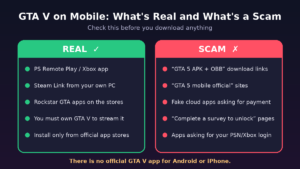
Only download games from official app stores, and never enter your gaming account password on a random website.
Note for Parents
GTA V and the other GTA games are rated for adults (18+ / Mature) because of violence and strong content. Many GTA-style simulator games also include fighting and weapons. If your child uses your phone, turn on parental controls. Use Google Play Family Link on Android or Screen Time on iPhone to manage age ratings and purchases.
Frequently Asked Questions
Can I download GTA V on Android or iPhone?
No. There’s no official GTA V mobile app. Any “GTA 5 APK” is fake.
What is the best way to play GTA V on mobile?
If you own GTA V on PlayStation or Xbox, use Remote Play. If you own it on PC, use Steam Link.
Can I play GTA V on mobile for free?
The streaming apps are free, but you need to own GTA V on a console or PC. Free GTA-style simulator games are also available.
Which official GTA game is closest to GTA V on mobile?
GTA: San Andreas is the most popular choice, thanks to its big open world and long story.
Can emulators run GTA V on a phone?
Some advanced users have tried running the PC version through emulators, but it needs a very powerful phone, often runs poorly, and isn’t supported by Rockstar. It isn’t recommended for most players.
Is GTA V on cloud gaming services?
At the moment it isn’t on GeForce Now, and it left Xbox Game Pass in April 2026. This can change, so check the services for updates.
Conclusion
If you want to play a GTA V mobile game simulator, you have several real options. Stream the actual GTA V from your console with Remote Play or from your PC with Steam Link. Buy official GTA games like San Andreas from the app store, or try a free GTA-style simulator like Gangstar Vegas. Whatever you choose, skip the fake APK links and download only from official stores. Your phone and your accounts will stay safe while you enjoy the open-world action.